
Operations, made simple.
One platform for every work order, inspection, and license across all your communities. Requests get logged and routed in seconds, recurring compliance work files itself before it's due, and every change stays on the record.
The work gets done. The record doesn't.
Requests arrive everywhere but a system
A hallway conversation, a sticky note, a text to the maintenance director at 9pm. The work gets requested a dozen different ways and tracked in none of them.
Inspections get remembered, not scheduled
Fire alarm, sprinkler, backflow, elevator, grease trap, kitchen hood. Each on its own cycle, each tied to a different provider, each a survey finding the moment it lapses.
No one can see across communities
Every building keeps its own list. Corporate has no way to compare workload, spot what's overdue, or tell which community needs help this week.
The paper trail ends at the work
When a surveyor asks when the sprinkler was last inspected and who signed off, the answer lives in someone's inbox or a folder on a desk.
From request to record, in one lane.
Request filed
Any staff member logs a work order with category, priority, facility, and due date.
Routed for review
It lands in the approval queue, where leadership approves, assigns, or archives it.
Assigned and worked
The owner is notified, moves it across the board, and adds notes as the work progresses.
Schedules fire themselves
Recurring inspections file their own work order and email reminders ahead of every due date.
Closed with a record
A written resolution to complete it, a named validator to close it, and a full activity trail behind it.
Built for the teams who keep the building running.
Maintenance, IT, marketing, and compliance work all live in the same queue, with the structure each of them actually needs.
Every work order, one table
Active work first, sortable and filterable by category, status, priority, facility, assignee, and date. Search reaches titles, descriptions, unit numbers, and every note written on the order.
Board or table, your choice
Drag orders between Open, In Progress, Completed, and Closed on a personal board, or stay in a dense sortable table. Same data, two ways to work it.
Recurring compliance schedules
Weekly through annual cadences for licenses and inspections. Each schedule files its own work order up to a month ahead and sends staged reminders at two months, one month, two weeks, one week, three days, or the day before.
Photos and documents attached
Up to ten files per order — photos, PDFs, spreadsheets — uploaded straight from a phone, compressed on the way up, and held in private storage.
Nothing closes without a record
Completing a work order requires a written resolution. Closing one requires a named person who verified it. The record is finished before the ticket is.
An activity trail you can’t edit
Every field change, note, assignment, and status move is written by the database itself, with before-and-after values, so the log is complete no matter who did what.
Approvals routed by category
Maintenance, IT, and marketing requests email the right approver and land in a queue ordered by urgency, with anything overdue floating to the top.
Operations dashboard
Active, overdue, unassigned, and pending approval at a glance, plus breakdowns by status, category, and priority, and created-versus-closed volume over 30 days or 12 months.
Roles that match the work
Administrators, requesters, technicians, and inspectors each see and do exactly what their job needs, enforced in the database rather than only in the interface.
The platform your team works in.
From the request that comes in at 9pm to the inspection due next March, every piece of work lives in one place.
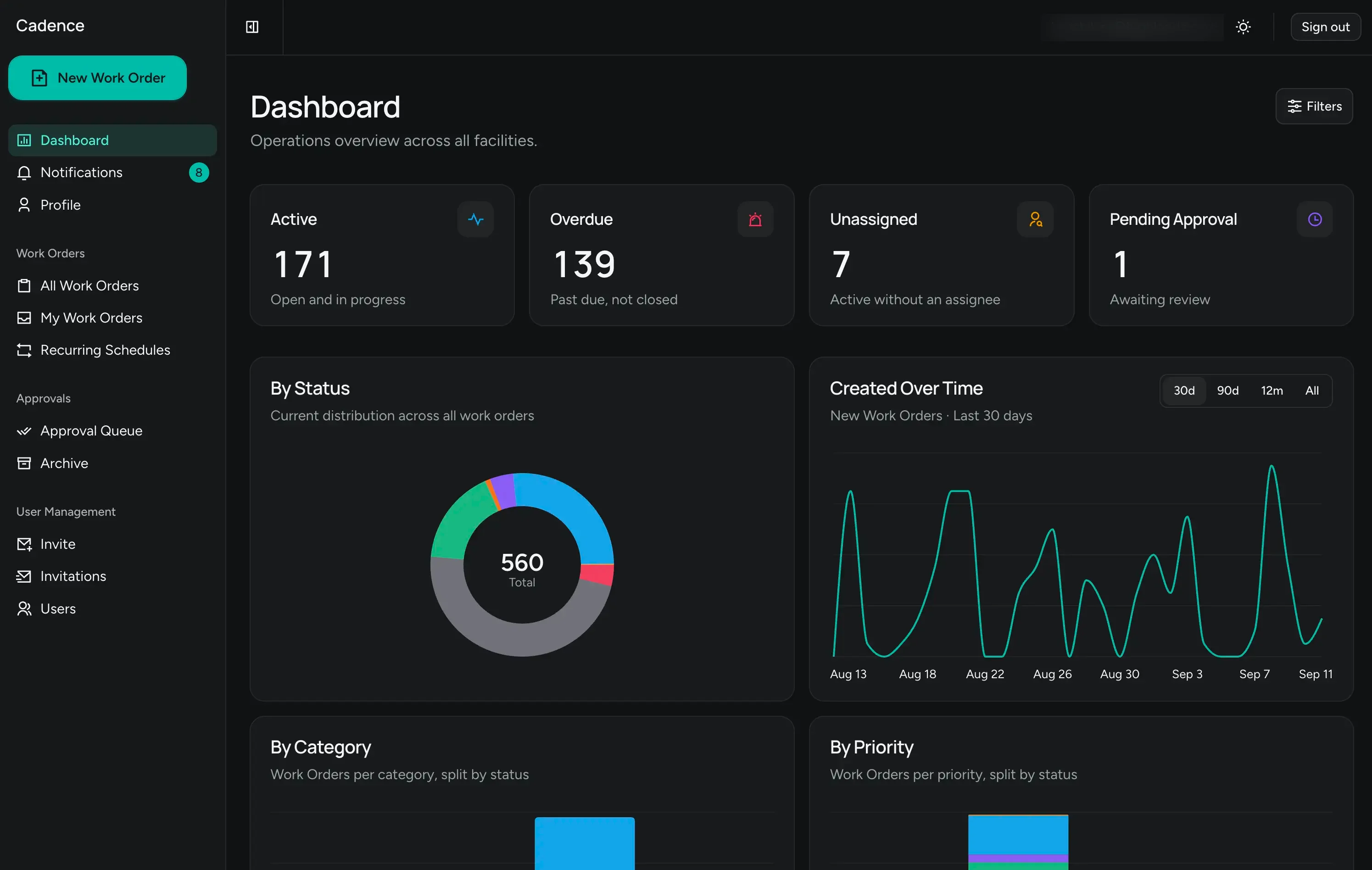
Your operation in four numbers.
Active, overdue, unassigned, and pending approval across every facility, with distribution by status, category, and priority underneath.
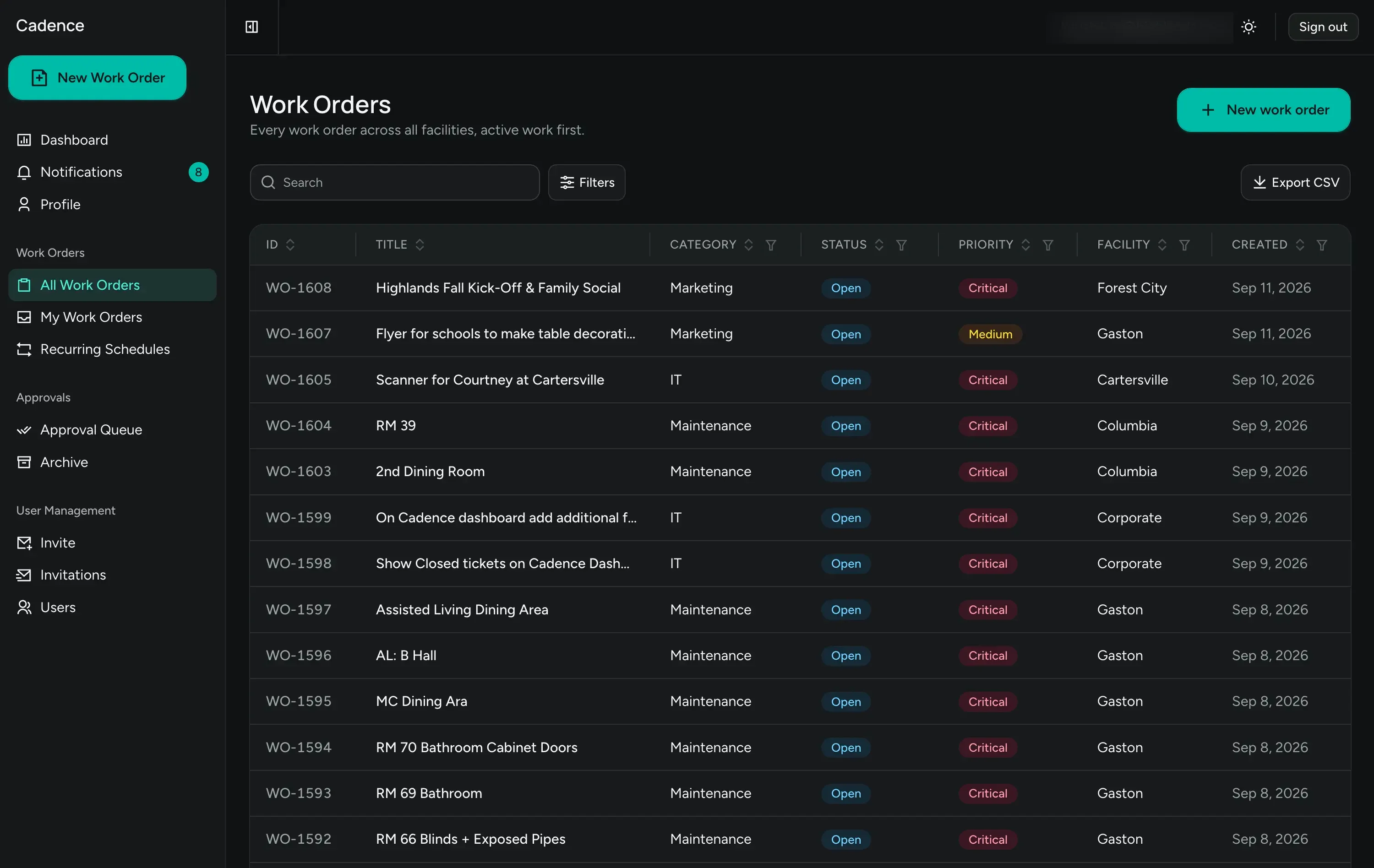
Every request, active work first.
One table across all facilities, sortable and filterable on every column, with CSV export when someone needs a spreadsheet.
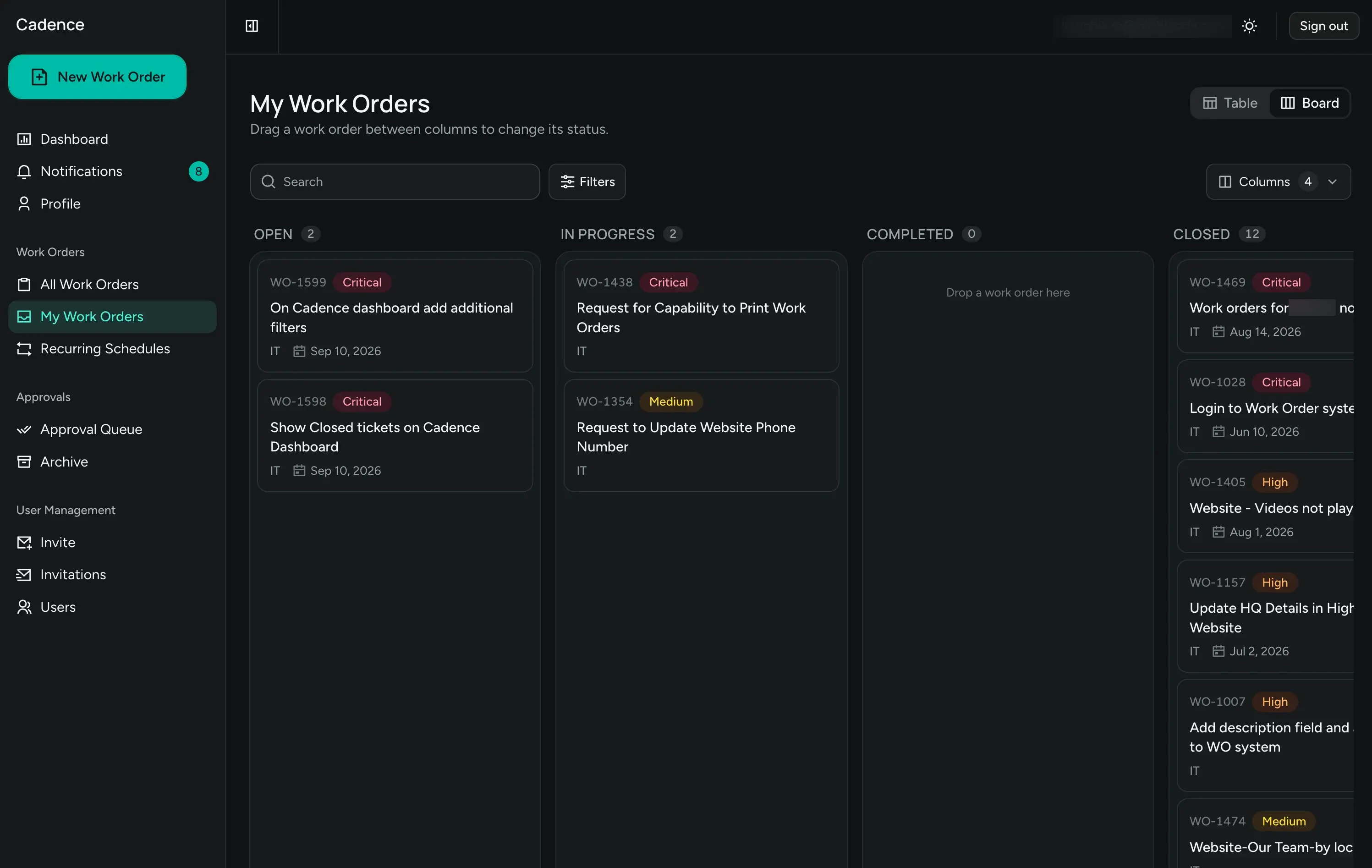
Drag it to done.
Each person gets their own board with Open, In Progress, Completed, and Closed columns. Drag a card to change its status.
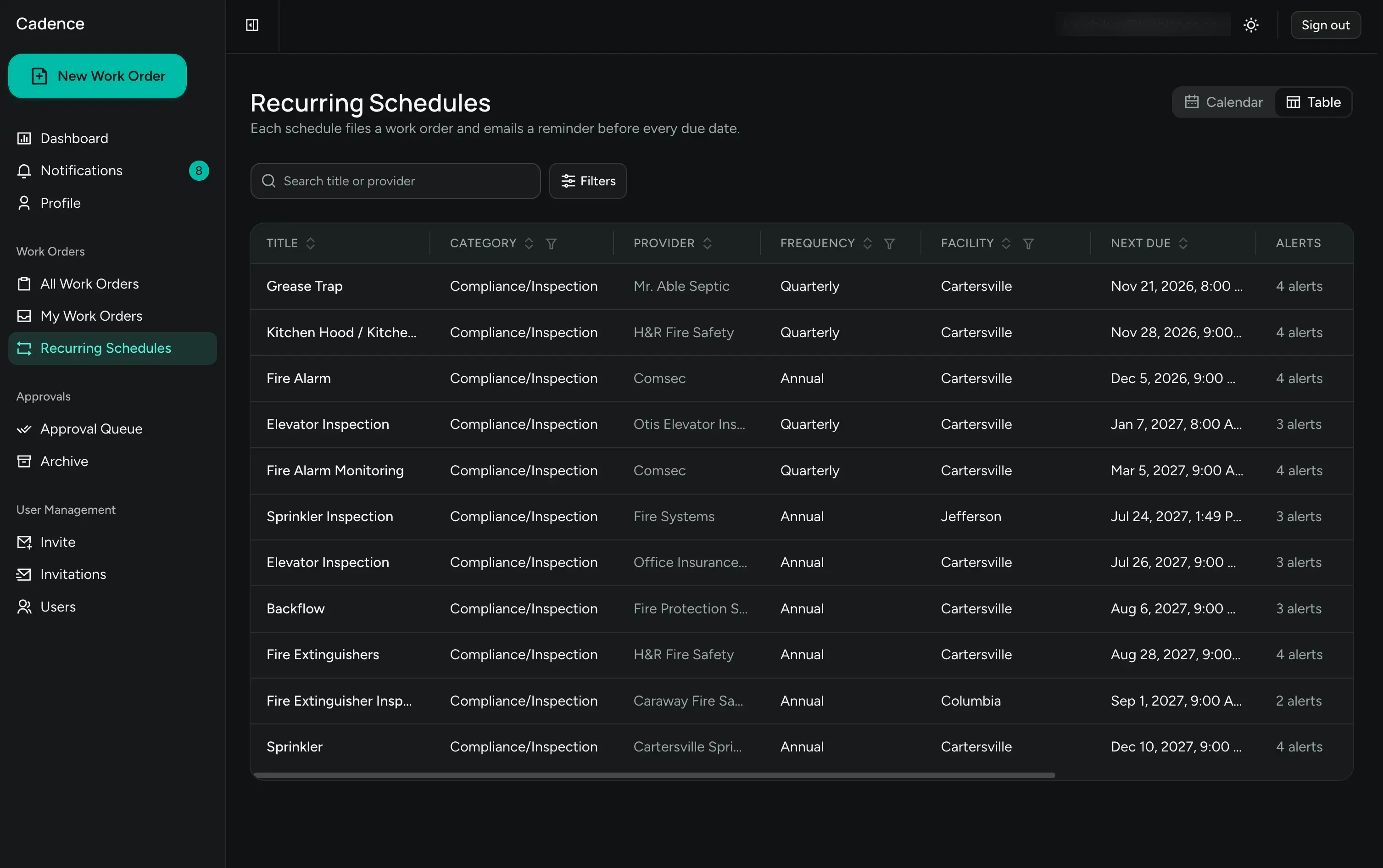
Compliance that doesn't rely on memory.
Every inspection and renewal with its provider, frequency, facility, and next due date, with staged email reminders before each deadline.
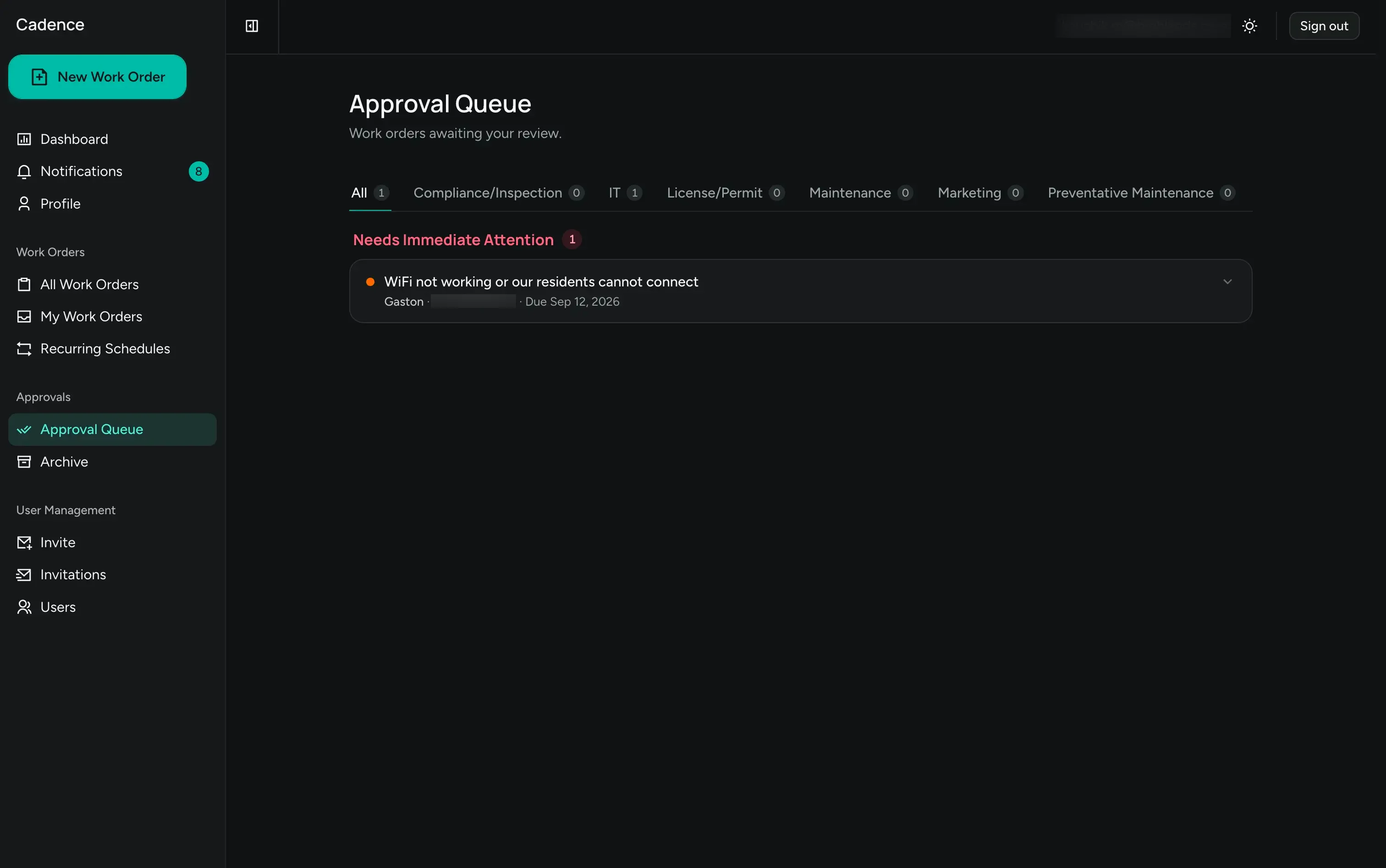
Leadership sees it before it becomes work.
Incoming requests grouped by category, with anything urgent pulled to the top. Approve it, assign it, or archive it.
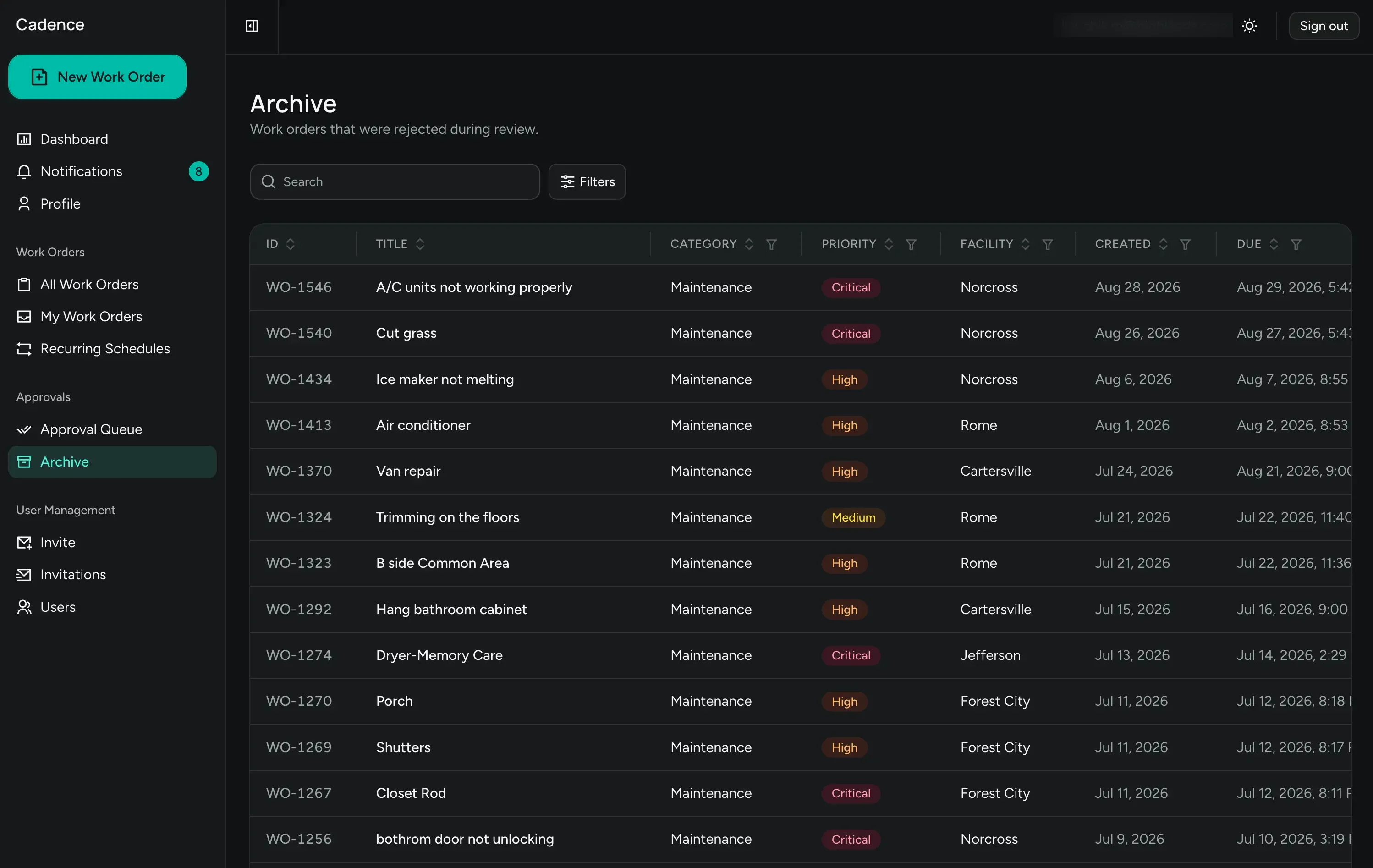
Nothing disappears.
Rejected requests keep their category, priority, facility, and dates. When the same issue comes back, the history is already there.
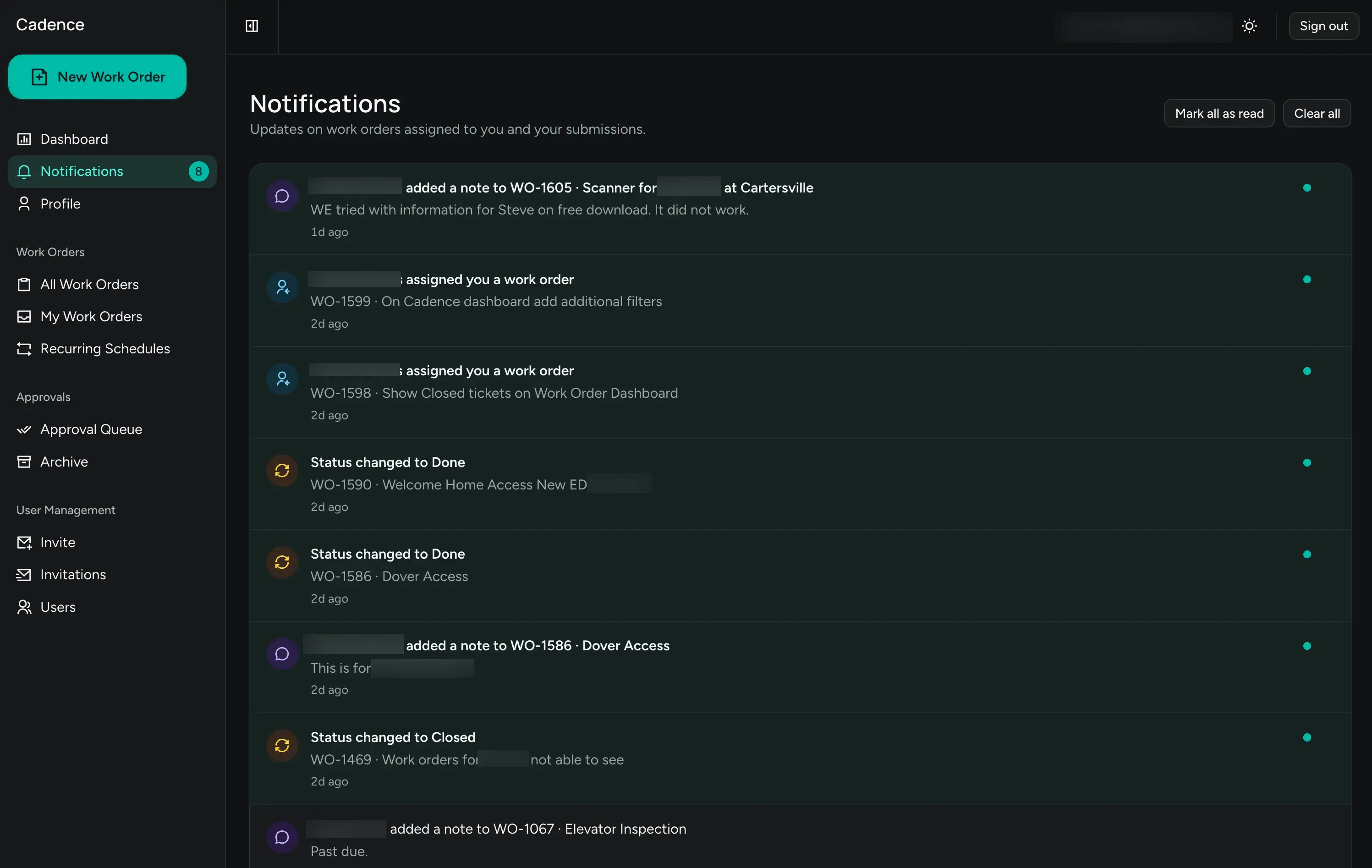
The feed that keeps work moving.
Assignments, status changes, and new notes on anything you own or submitted, in one place.
Click any screen to view it full size. Use the arrow keys to move between screens.
Four roles, one system.
The same platform works for the person fixing the dryer and the person reporting to the board, because each of them only sees the part that is theirs.
Requesters
Anyone on staff files a request in a guided form that saves as you go, then watches it move.
Technicians
A personal board of assigned work, with notes and photos attached right where the job is.
Inspectors
Verify completed work and close it out with your own name on the record.
Administrators
Approve, assign, and see every community on one dashboard.
Ready to get every request into one queue?
We'll walk you through Workflow 360 on a 20-minute call, load a few of your real recurring inspections, and scope a rollout that fits your communities.